Mechanical Switch Selection Guide 2026
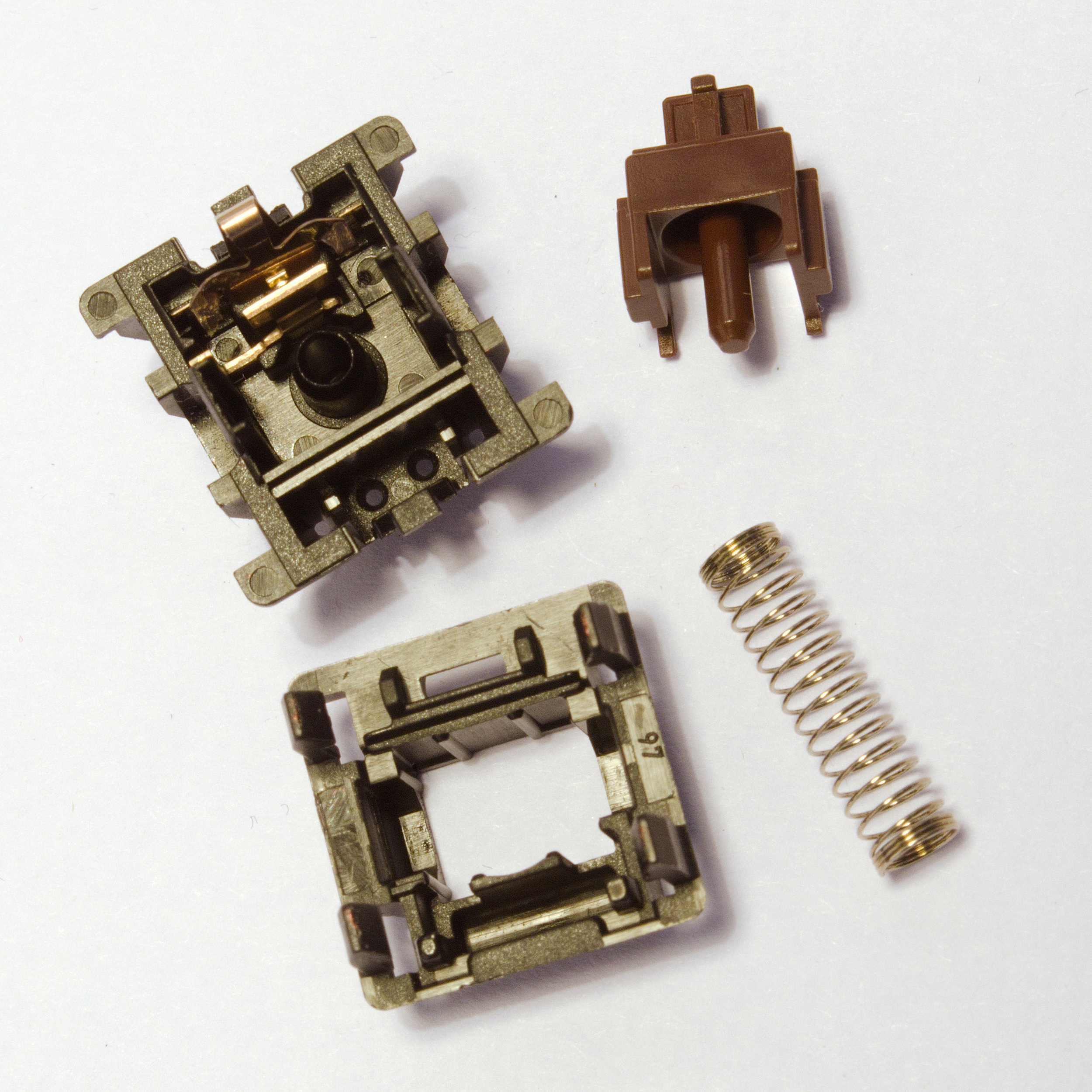
Choosing the right switch is the single most important decision when it comes to a mechanical keyboard: it determines the perceived force, office noise level, gaming predictability and long-session comfort. This guide is based on manufacturer specifications (Cherry, Gateron, Kailh), enthusiast community measurements and hands-on testing under the tropical humidity conditions readers in Singapore commonly face. If you are looking for ready-made boards, check our keyboard reviews; if you plan a hot-swap build from scratch, our custom keyboard guide will also help.
Three Switch Types: Linear, Tactile, Clicky
Mechanical switches are most commonly divided into three families that differ in how force progresses through the key's travel — the so-called force curve. In simple terms: a linear gives no perceptible "bump", a tactile signals the actuation point with a noticeable resistance hump, and a clicky adds an audible mechanism (a crosspoint spring or "click bar") that produces the characteristic click.
Linear — examples: Cherry MX Red (light, around 45 cN operating force), Gateron Yellow (often slightly heavier and very smooth stock), Cherry MX Black (heavier linear, typically around 60 cN). Movement is uniform: no bump on the stem means you do not feel a distinct actuation moment beyond the muscle memory of key depth. For many FPS gamers this is an advantage — repeatable rapid taps without "catching" on a bump. When typing prose the risk is frequent bottom-out, which raises noise; hence the popularity of dampening measures (O-rings, PC plates, gasket mounts).
Tactile — examples: Cherry MX Brown (gentle bump before actuation), Ergo Clear (in the custom world often a reference to tuning Clear-type stems towards a lighter, more "rounded" bump; in practice you buy ready-made versions or modify springs). A tactile switch tells your finger the contact has closed before the key reaches the end of its travel. A typical actuation point for many MX-compatible switches is around 2 mm with a total travel of about 4 mm — these values are approximate and can vary by fractions of a millimetre between series.
Clicky — examples: Cherry MX Blue (classic "click" + bump), MX Green (heavier clicky variant), Kailh Box White (box mechanism, often a crisper click and better stem stability). These switches are the noisiest and least tolerated in open-plan offices, but many writers enjoy the distinct auditory feedback.
The force curve describes how resistance grows during a press: for linears the increase is fairly smooth until you hit bottom; for tactiles a local force spike (bump) appears; and for clickies an additional peak related to the click mechanism is present. The actuation point is the depth at which the electrical circuit closes and the computer registers a character; total travel is the distance to the physical stop. Understanding these concepts lets you compare data-sheet specs with what you actually feel on a switch tester.
Cherry MX vs Gateron — The Great Comparison
Cherry MX has for years been synonymous with the "MX-compatible" standard: stem dimensions, mounting footprint (plate/PCB) and keycap opening are today the template for the majority of the market. Gateron gained popularity thanks to its stock smoothness and a wide range of colour and force variants.
Cherry MX — manufactured in Germany, marketed with "German precision"; the manufacturer cites tight manufacturing tolerances in documentation and technical materials (in comparative practice, figures around ±0.01 mm are discussed for key dimensions that interface with keycaps and stabilisers — the exact value depends on the component). Lifespan: the often-quoted 100 million keystrokes for many MX series is manufacturer-declared specification data; real-world wear depends on dust, humidity and solder/socket quality. Retail price per switch in premium sets often falls in the range of roughly $0.40–0.50 USD each, though promotions and bulk alter the scale. Feel: many users describe Cherry as somewhat "stiffer" and less smooth in a direct comparison with a fresh, well factory-lubed Gateron — differences diminish after your own lubing and break-in period.
Gateron — a wide product line, often praised for stock slide smoothness and factory-lubed variants (pre-lubed) in pro and premium lines. Tolerances are sometimes described as slightly less strict than Cherry (community comparative discussions cite figures in the region of ±0.02 mm — an average from community tests, not a substitute for a specific series data sheet). Declared lifespan for many models is in the region of 50 million keystrokes — still a very high figure for a home user. Price: often around $0.25–0.40 USD per switch in popular lines, with exceptions for limited editions.

The choice between brands is not binary: Cherry tends to be preferred where uniform OEM specification and a long track record of industrial deployments matter; Gateron wins among users who want soft movement without immediate service. In both cases it pays to buy authentic batches from verified distributors — counterfeits have loose stems and atypical force curves.
Other Manufacturers Worth Noting
Kailh — the Box series with its enclosed housing and "box-shaped" stem reduces the effect of dust and moisture on the contact; certain variants highlight splash resistance to a lesser degree than full IP certification, but the design is distinctly different from a classic MX-open construction. Box Navy / Jade / White are common clicky picks; Box Pink or Box Red appear in the linear lines.
Outemu — a budget alternative often found in factory keyboards; quality can vary between batches, but certain series (e.g. silenced variants) have their fans when the budget is tight.
Akko — a brand that combines ready-made keyboard sales with its own collaborative switch variants; read reviews for the specific series, because the colour name does not always translate 1:1 to a force curve from another factory.
Durock / JWK — the premium custom segment: often factory-lubed, transparent or "milky" housings, high compatibility with aftermarket films and springs. A typical pick when you move from your first hot-swap board to full personalisation.
How to Lube Switches — A Practical Guide
Lubing changes the friction between the stem and housing walls, and sometimes the top of the spring. For linears a thicker lube such as Krytox GPL 205g0 on the stem rails is most commonly recommended — apply a very thin layer; too much creates a "mushy" feeling. For tactiles a lighter Tribosys 3203 is often safer so as not to over-dampen the perceptible bump; some people lube only the lower rear rails, bypassing the stem legs responsible for the bump.
Tools: a switch opener matched to the housing type (Cherry-style vs Kailh Box), tweezers, a brush or spatula for precise application, a spring-holding station, clean isopropanol for degreasing before applying lube, and an anti-static mat to make working with small parts easier. After reassembly, test a few switches before lubing the entire set — otherwise you may discover you prefer a thinner coat than on your first attempts.
Recommendations for 2026
The suggestions below are indicative — always check local availability and match to your plate and sound preferences (e.g. a nylon vs aluminium plate changes perception).
- Best linear (suggestion): Gateron Oil King — dark housing, widely praised smoothness and factory lubing; and Cherry MX2A Red — a refreshed design with reduced wobble (a factory improvement over older Red batches).
- Best tactile: Gateron Brown Pro — a more pronounced bump than the classic brown in many comparative tests; and Boba U4T (Gazzew) — strong, rounded bump and full, "thocky" sound character with the right build around it.
- Best clicky: Kailh Box White — crisp click and stable stem; and Cherry MX Blue — the classic office "click-clack", still a universal reference point.
One final tip: before ordering ninety switches of one type, buy a fifteen-position switch tester or at least individual samples — the force curve under your finger matters more than any table on the internet. Once you have chosen your switches, the natural next step is to compare ready-made builds in our keyboard reviews and plan your own assembly following the custom keyboard guide.